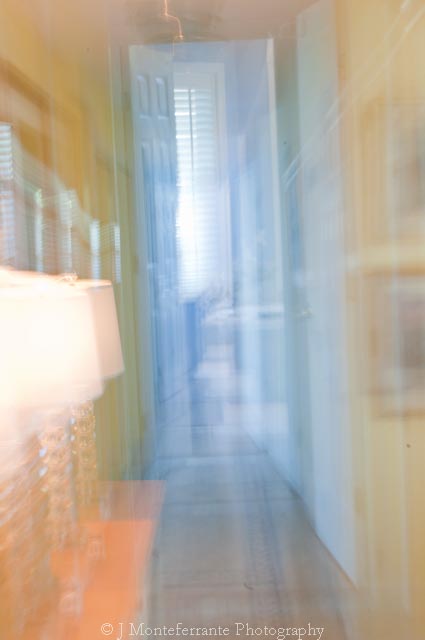
Canon does not have a setting to allow in camera double exposures like the Nikon. Tony Sweet's Blog wrote about a work around for Canon that I found interesting. He uses a single long exposure, such as 2.5 second.. During the exposure he zooms in for a fraction of a second several times along the way for the duration of the exposure.
I tried this - but not very happy with the results. See what you think, but I prefer Nikon and the real deal!!
Swansong Art Fine Art Photography and Digital Imaging Instruction MOVING to www.judithmphotography.blogspot.com
Monday, September 20, 2010
Wednesday, September 1, 2010
Photographing Fireworks_Guidelines
Tips on Shooting Fireworks and the Post Production:
1. Use a tripod.
2. Use a cable release so you can watch the firework rocket trajectory with both eyes on the sky.
3. Use a zoom lens - 70 to 200 mm or more unless you need to capture the background.
4. Put the camera on manual and set the Shutter Speed for around 4 seconds and aperture of f 11.
5. Manual focus to infinity.
6. ISO 200.
7. Take an interesting background exposure - more wide angle. Use this as your background layer in Photoshop.
8. In Photoshop, choose your background image and then the other single fireworks images and adjust each in Camera RAW. Open your background image first. Use the Lasso tool (L) to select areas to use of each individual fireworks images and with the Move tool (V) drag each onto a new layer above your background image.
9. Blend each layer with Lighten.
10. Reposition each display (on it's own layer) with the Move tool (V) as needed.
11. Then use the hi pass filter to sharpen as needed. (Flatten and then Duplicate the background layer, then select Filter, Other, Hi Pass filter, adjust for thin white lines, then select the Overlay Blend Mode).
One is a blend and I'm sure you could tell which one!! Enjoy and have fun. This new technique worked better for me then the bulb with the black card I had used in the past. I will try again over Labor Day and post my new attempts. Share yours with me. Hopefully Earl will not cancel the events all around the coastline.
1. Use a tripod.
2. Use a cable release so you can watch the firework rocket trajectory with both eyes on the sky.
3. Use a zoom lens - 70 to 200 mm or more unless you need to capture the background.
4. Put the camera on manual and set the Shutter Speed for around 4 seconds and aperture of f 11.
5. Manual focus to infinity.
6. ISO 200.
7. Take an interesting background exposure - more wide angle. Use this as your background layer in Photoshop.
8. In Photoshop, choose your background image and then the other single fireworks images and adjust each in Camera RAW. Open your background image first. Use the Lasso tool (L) to select areas to use of each individual fireworks images and with the Move tool (V) drag each onto a new layer above your background image.
9. Blend each layer with Lighten.
10. Reposition each display (on it's own layer) with the Move tool (V) as needed.
11. Then use the hi pass filter to sharpen as needed. (Flatten and then Duplicate the background layer, then select Filter, Other, Hi Pass filter, adjust for thin white lines, then select the Overlay Blend Mode).
One is a blend and I'm sure you could tell which one!! Enjoy and have fun. This new technique worked better for me then the bulb with the black card I had used in the past. I will try again over Labor Day and post my new attempts. Share yours with me. Hopefully Earl will not cancel the events all around the coastline.
Wednesday, August 18, 2010
Double Exposure in Camera
Nikon allows you to produce double exposures in camera!! Find this under Shooting Menu> Double Exposures. Just choose the number of exposures you want and check Auto Gain On. Then press OK and quickly shoot the two exposures.
That's the easy part. Remember to pre-visualize what you are shooting. Choose the background or surface texture shot carefully. Note where the different surfaces will overlap your image. Adjust as needed. Shoot the main subject first and then the background or surface texture shot. The main subject needs to have a simple background to work. Here are some recent examples taken during a workshop up in Maine on Nudes in the Landscape with Karin Rosenthal.
See what can be done without Photoshop! In Camera!
That's the easy part. Remember to pre-visualize what you are shooting. Choose the background or surface texture shot carefully. Note where the different surfaces will overlap your image. Adjust as needed. Shoot the main subject first and then the background or surface texture shot. The main subject needs to have a simple background to work. Here are some recent examples taken during a workshop up in Maine on Nudes in the Landscape with Karin Rosenthal.
See what can be done without Photoshop! In Camera!
Saturday, June 19, 2010
GLOUCESTER_CAPE ANN
Just completed my move to Gloucester, Massachusetts, 45 minutes north of Boston, on Cape Ann (with neighboring town of Rockport) and location for "The Perfect Storm", "Grown Ups" and "The Proposal". Filming is again taking place in Gloucester for "What's Your Number?", a 20th Century Fox picture directed by Mark Mylod, and starring Anna Faris and Chris Evans. They will be shooting at Good Harbor Beach this weekend. Enjoy the great weather!
Subscribe to:
Posts (Atom)


View from our home
Good Harbor Beach